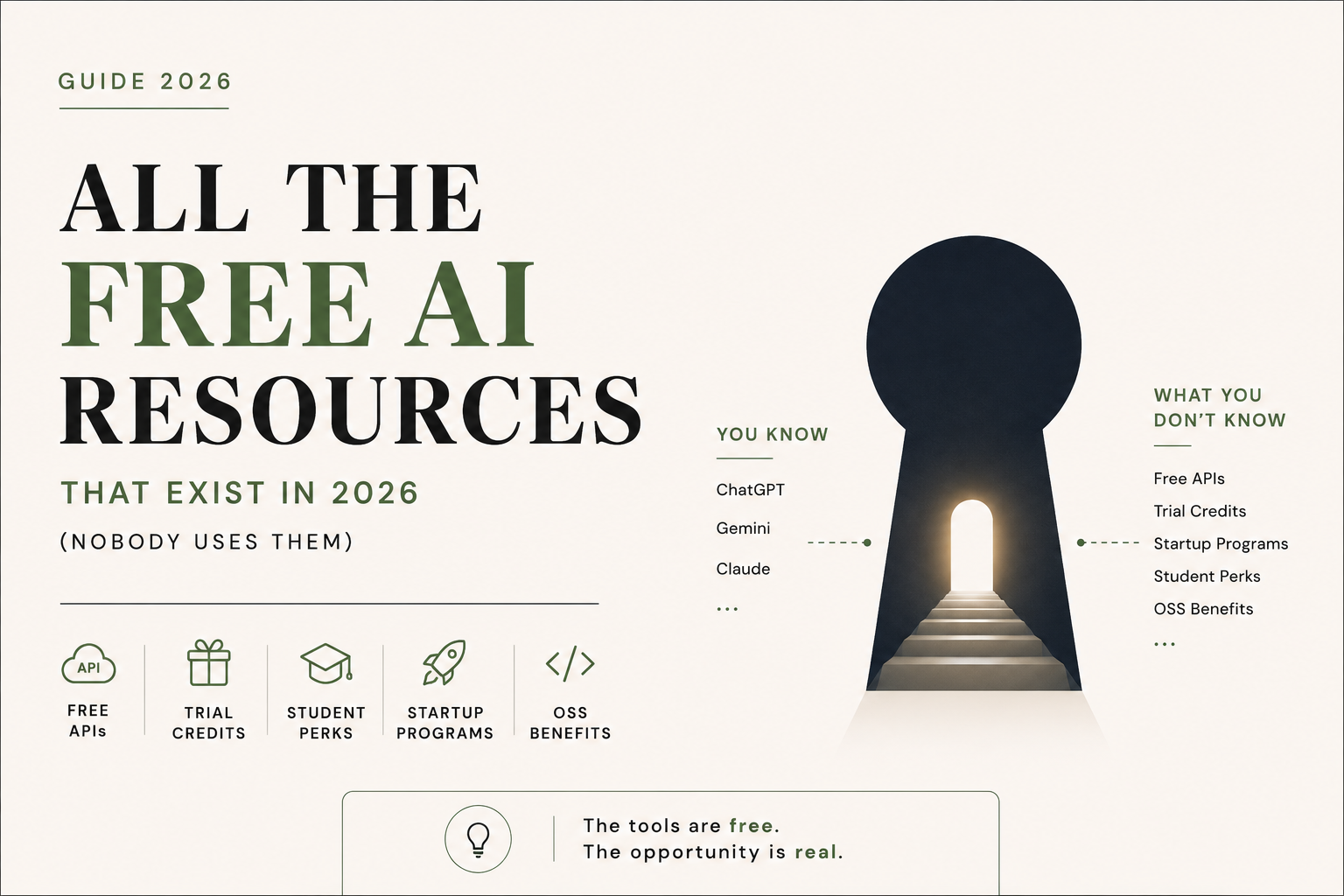
The Complete Guide to Free AI Resources in 2026: AI Tools, APIs, Credits, Student Benefits & Startup Programs

Best Free AI Resources in 2026: Tools, APIs, Credits, Student Offers and Startup Programs

AI is becoming cheaper surprisingly fast.

But there is a problem.

Most people only know about the obvious free versions of ChatGPT, Gemini, Claude and a handful of AI tools. They do not know about free API tiers, developer credits, student programs, startup grants, open-source benefits and cloud credits that can provide access to significantly more AI infrastructure.

In 2026, you can build, test and automate a surprising amount of work without spending much money on AI.

This guide brings together some of the most useful free and subsidised AI resources available in 2026, with a particular focus on developers, students, startups, professionals and businesses.

Important: AI pricing, limits and eligibility change frequently. The benefits below should be treated as opportunities to check, not permanent guarantees. Always verify the current terms before relying on a free allowance for production work.


1. Free AI APIs and inference platforms

If you are building an application, automation or internal tool, API access is often more useful than a consumer chatbot subscription.

Google AI Studio

Google AI Studio provides access to Gemini models and a free API tier, subject to model-specific rate limits.

The important point is that there is no single universal “Gemini free limit”. Google states that limits depend on the model, usage tier and account, and can include requests per minute, tokens per minute and requests per day.

For developers experimenting with AI applications, it remains one of the first platforms worth checking.

Best for:

  • Prototyping AI applications
  • Testing Gemini models
  • Large-context experiments
  • Building small automations

Website:  ⁠Google AI Studio


Groq

Groq is particularly interesting if speed matters.

Its developer platform provides free API access with rate limits that can be substantially higher than what many developers expect. Current documentation shows examples of limits such as 14,400 requests per day, depending on the model and account.

The platform is built around specialised inference hardware, making latency one of its major attractions.

Best for:

  • Fast AI applications
  • Chatbots
  • Classification
  • Structured extraction
  • Developer experiments

Website:  ⁠Groq


Cerebras

Cerebras is another platform worth knowing if inference speed is important.

Its wafer-scale architecture is designed specifically for high-performance AI workloads.

For developers, the attraction is simple: extremely fast inference without having to operate your own specialised hardware.

Check the current developer limits before designing an application around a particular quota.

Website:  ⁠Cerebras


Mistral

Mistral provides developers with access to its models through its API platform, including experimentation options subject to current usage limits and terms.

It is particularly useful if you want to compare different model families instead of depending on a single provider.

Website:  ⁠Mistral AI


Cloudflare Workers AI

Cloudflare Workers AI is particularly interesting for developers already using Cloudflare.

The current free allocation is 10,000 Neurons per day. Cloudflare notes that some resource-intensive models now require the paid Workers plan, while many models remain available under the free allocation.

This makes Workers AI particularly useful for small AI-powered web applications and edge-based experiments.

Website:  ⁠Cloudflare Workers AI


OpenRouter

OpenRouter is useful for a completely different reason.

Instead of committing your application to one model provider, it gives developers a common interface to models from multiple providers.

It also has free models.

However, the current free-model limit is important to understand. OpenRouter states that users without at least $10 in purchased credits are limited to 50 free-model requests per day. Users who have purchased at least $10 in credits can receive a higher free-model limit of up to 1,000 requests per day.

So it is better described as a multi-model experimentation platform than an unlimited free API.

Website:  ⁠OpenRouter


2. Do not ignore GitHub

One of the most overlooked sources of free AI resources is GitHub Education.

Verified students can receive free access to GitHub Copilot Student, alongside other benefits available through the GitHub Student Developer Pack.

Even better, GitHub now also has a general Copilot Free tier.

The current free plan includes:

  • 2,000 code completions per month
  • Access to selected AI models
  • Copilot CLI
  • No credit card required

For students, the Student plan provides additional access beyond the standard free tier.

Website:  ⁠GitHub Education


3. Student benefits can be worth hundreds of dollars

If you are a student, do not treat your student email as just an academic login.

It can unlock an entire developer ecosystem.

GitHub Student Developer Pack

The pack provides access to numerous developer tools and partner offers for verified students.

One of the most important benefits is GitHub Copilot Student.

Cursor

Cursor also maintains a dedicated student program. Current student offers and eligibility should be checked directly on its student page because these offers can change.

Other student AI offers

AI companies periodically run student promotions for products such as:

  • AI coding assistants
  • Research assistants
  • Cloud platforms
  • Productivity tools
  • Developer environments

The important lesson is not to assume that a student benefit you saw on social media six months ago is still active.

Check the provider’s current student page before publishing or relying on a specific offer.


4. Startups have access to much larger AI budgets

This is where the numbers become interesting.

A startup should not immediately assume that every AI expense has to come out of its own bank account.

Several major technology companies run startup programs that provide credits, infrastructure and technical support.

Google for Startups Cloud Program

Google currently advertises up to $350,000 in Google Cloud credits for qualifying AI startups.

The program structure is eligibility-dependent, with different tiers for different startup stages. Google states that qualifying early-stage startups can receive up to $200,000, while AI startups can receive up to $350,000.

These are cloud credits, not unrestricted cash.

That distinction matters.

They can help cover eligible Google Cloud usage, but they should not be treated as a ₹3 crore cash grant sitting in the company’s bank account.

Website:  ⁠Google for Startups Cloud Program


OpenAI startup programs

OpenAI also provides startup-focused programs and benefits.

Eligibility and credit amounts depend on the specific program and participating startup. Therefore, founders should check the current OpenAI startup page rather than assuming a fixed credit amount.

Website:  ⁠OpenAI for Startups


NVIDIA Inception

NVIDIA Inception is another program worth exploring for eligible startups building AI-related products.

The program can provide access to technology resources, technical support and ecosystem opportunities.

It is particularly relevant for startups whose products depend heavily on AI infrastructure.


5. Open-source developers have their own opportunities

Open-source maintainers are another group that often gets overlooked.

For example, OpenAI currently has a Codex for Open Source program.

Selected maintainers can receive:

  • Six months of ChatGPT Pro
  • API credits for qualifying open-source work
  • Potential access to Codex Security
  • Support for coding, reviews, issue triage and maintenance workflows

This is not an automatic benefit for anyone with a GitHub repository.

Applications are reviewed, and OpenAI looks for projects with meaningful usage, broad adoption or clear ecosystem importance.


6. India has a particularly interesting AI advantage

For Indian users, one offer deserves special attention.

OpenAI launched ChatGPT Go in India before expanding it globally. OpenAI’s India promotion offered eligible users 12 months of ChatGPT Go at no cost, subject to the promotion’s eligibility and redemption conditions.

However, this should not be confused with permanent free ChatGPT access.

Promotional offers have eligibility requirements, expiration dates and redemption conditions.

The broader lesson is more important:

Always check whether your country has a local AI promotion before paying for an international plan.


7. The most useful strategy is not finding one free AI tool

This is where most people approach AI incorrectly.

They search for:

“What is the best free AI?”

A better question is:

“Which free resource is best for this particular job?”

For example:

Requirement

Resource worth checking

General AI experimentation

Google AI Studio

Very fast API inference

Groq

Multi-model API experimentation

OpenRouter

Edge AI applications

Cloudflare Workers AI

AI coding

GitHub Copilot

Student developer benefits

GitHub Education

Startup cloud infrastructure

Google for Startups

Open-source AI development

Codex for Open Source

AI application prototyping

Gemini API / other free API tiers

The goal is not to collect 50 free accounts.

The goal is to combine the right resources intelligently.


8. What a student can potentially build for almost nothing

Consider a student who has:

  • A verified student account
  • GitHub
  • Access to student developer benefits
  • A laptop
  • Basic programming knowledge

That student can potentially combine:

GitHub + Copilot + free AI APIs + cloud credits + open-source models

to build:

  • SaaS prototypes
  • AI agents
  • Research tools
  • Websites
  • Automation systems
  • Data-analysis applications
  • Portfolio projects

The infrastructure cost can be extremely low during the experimentation stage.

The real limitation is often not money.

It is knowing where to look.


9. What a startup founder should do before paying for AI

If you are running an AI startup, create a simple checklist before putting an AI API on your company credit card.

Step 1: Check the provider’s free tier

Find out:

  • Requests per minute
  • Requests per day
  • Token limits
  • Model availability
  • Data retention terms
  • Commercial-use restrictions

Step 2: Check startup programs

Look at:

  • Cloud credits
  • API credits
  • Accelerator benefits
  • Partner programs
  • VC ecosystem benefits

Step 3: Check cloud credits

Google, Microsoft, AWS, NVIDIA and other infrastructure providers periodically offer startup programs.

Step 4: Calculate the actual cost

Do not compare AI products only by subscription price.

Calculate:

Cost per million tokens + infrastructure + storage + API calls + support

Step 5: Keep a paid fallback

Free tiers are excellent for development.

They are not necessarily suitable as the only infrastructure for a production application.


10. One important warning about “free AI”

Free does not always mean unlimited.

And free does not always mean suitable for confidential data.

Before uploading client information, financial records, customer databases, tax documents or other sensitive information to an AI platform, check:

  • Whether the data is retained
  • Whether it can be used for model training
  • Whether your organisation has approved the service
  • Where the data is processed
  • Whether the provider offers appropriate privacy controls
  • Whether your professional obligations permit the use

This is particularly important for professionals handling confidential client information.

For a CA firm, “free” should never be the only criterion.


The real AI advantage in 2026

The biggest AI advantage is no longer simply knowing how to use ChatGPT.

It is knowing how to navigate the AI ecosystem.

There are:

  • Free model tiers
  • Free API quotas
  • Cloud credits
  • Student programs
  • Startup programs
  • Open-source benefits
  • Developer programs
  • Regional promotions
  • Free coding assistants
  • Free experimentation environments

Many of these opportunities have eligibility requirements and change frequently.

But if you know where to look, you can significantly reduce the cost of learning, experimenting and building with AI.

The tools are already there.

The question is whether you know how to find them.

Last updated: August 2026

Because AI pricing, model availability, quotas and promotional programs change rapidly, verify the provider’s official terms before relying on any specific offer.


For CA, finance and business professionals: the bigger opportunity is not simply using free AI tools. It is learning how to use AI safely for research, Excel automation, MIS reporting, reconciliation, documentation, workflow automation and decision support without compromising client confidentiality.

Disclaimer:

This article is for general informational purposes only and should not be considered professional advice. Please consult a qualified expert for advice tailored to your specific situation. The author and website owner are not liable for any errors or actions based on this content.

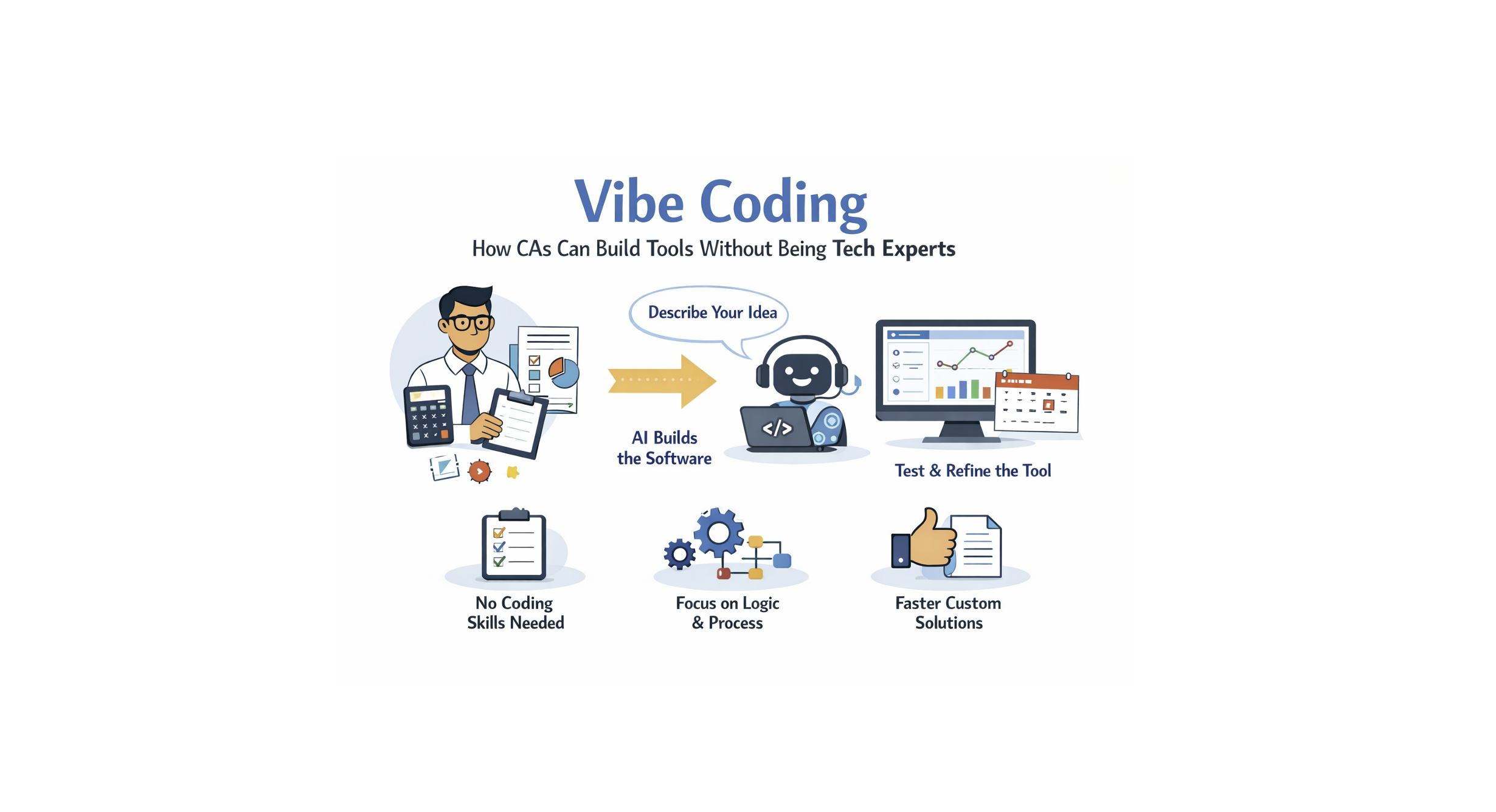
Vibe Coding: How CAs Can Build Tools Without Being Tech Experts

Vibe Coding for Chartered Accountants: Building Smarter Tools Without Coding

For years, if a CA wanted custom software, there were only two options: hire an expensive developer or learn to code yourself. Neither was practical when you have audits to wrap up and deadlines to meet.

But that gap is closing.

A new approach called vibe coding is changing how software gets built. It allows you to describe what you need in plain English, while AI handles the actual coding.

What is Vibe Coding?

Vibe coding isn’t about cutting corners. It is about shifting your effort from writing syntax to thinking clearly.

Instead of worrying about programming languages, you simply explain the logic. The AI generates the software, you test it, and then refine it. Since CAs are already trained in logic, process flow, and edge cases, this approach fits our skillset perfectly.

You focus on what the system should do, not how the computer speaks.

Why This Matters for Indian Firms

Most firms rely on expensive, rigid software that isn’t always tailored to our specific practice needs. With vibe coding, a CA can quickly build:

  • A simple tracker for GST, TDS, or Advance Tax due dates.

  • An internal audit checklist customized to your firm’s specific methodology.

  • A basic document tracker for client data.

  • Client-facing dashboards without waiting on an IT team.

You do not need to know Python or Java. You just need to know exactly what you want the result to look like

Tools CAs Can Use to Build These Solutions

You do not need a full tech stack or an IT team. Most vibe coded tools are built using simple, low friction platforms combined with AI.

1. ChatGPT or Similar AI Assistants

This is the core engine of vibe coding. You describe the logic, workflows, validations, and edge cases in plain English. The AI generates the code, formulas, or automation steps. You then review and refine it like you would review work from an article assistant.

2. Google Sheets or Excel (with AI help)

For many CA use cases, spreadsheets are more than enough. Using AI, you can build

• GST, TDS, and advance tax trackers

• Due date calendars with alerts

• Audit sampling sheets

• Client wise compliance dashboards

AI can write formulas, conditional formatting, and scripts without you knowing Excel coding.

3. Notion or Airtable

These are excellent for internal firm systems. With AI assistance, CAs can create

• Document trackers

• Internal audit checklists

• Client onboarding workflows

• Status dashboards

They are visual, easy to maintain, and ideal for firms moving away from scattered Excel files.

4. No Code Builders (Bubble, Glide, Softr)

If you want something client facing, these tools work well with AI guidance. You can build

• Simple client portals

• Upload dashboards

• Filing status trackers

AI helps generate logic, workflows, and validation rules while you focus on compliance accuracy.

5. Automation Tools (Zapier, Make)

These tools connect everything together. For example

• Auto reminder emails before due dates

• Moving clients from one status to another

• Creating tasks when documents are uploaded

AI helps you design the automation logic step by step.

6. PDF and Document Tools

Using AI with document tools, CAs can generate

• Automated checklists

• Standardised audit working papers

• Client wise summary reports

This saves hours spent on repetitive documentation.

Practical Tip for CAs

Start small.

Do not aim to replace your main software. Begin with one internal pain point like due date tracking or audit checklists. Build, test, refine, then expand.

Vibe coding works best when compliance logic comes from you and execution is delegated to AI. That balance keeps risk low and efficiency high.

How it Actually Works

Think of it like delegating work to a junior article who types very fast but needs clear instructions.

  1. Explain: You tell the AI, “I want a tool that tracks client due dates and highlights overdue items in red.”

  2. Verify: The AI explains its plan back to you to ensure it understood.

  3. Build & Test: It writes the code. You test it. If a button doesn’t work or a calculation is wrong, you simply say, “Fix the calculation for leap years,” and it corrects it.

Benefits for Clients and Auditees

Clients rarely care how a system is built; they care about clarity. Vibe-coded tools can help you offer:

  • Simpler portals for uploading documents.

  • Automated reminders for filings (so you don’t have to chase them manually).

  • Better transparency on audit status.

A Word of Caution

While this is powerful, do not trust it blindly.

AI makes mistakes. In our profession, a wrong calculation or a missed compliance date has legal consequences. Every tool you build this way must be tested thoroughly. Treat the AI’s output the same way you would treat a draft from a new intern. Review it carefully before relying on it.

The Bottom Line

Vibe coding isn’t about turning CAs into software engineers. It is about solving small firm headaches without heavy IT dependency. Even a small internal tool that saves five hours a month is a win for efficiency.

Ideally, this lets you spend less time wrestling with rigid software and more time on what matters: your expertise and your clients.

Disclaimer:

This article is for general informational purposes only and should not be considered professional advice. Please consult a qualified expert for advice tailored to your specific situation. The author and website owner are not liable for any errors or actions based on this content.
The Role of Artificial Intelligence (AI) in Internal Auditing: Transforming Risk and Compliance

Last updated: 09 October 2026 · Written and reviewed by CA Meet Dhrangadhariya, CSM & Co LLP

Quick summary

  • AI is best used for the repetitive, data heavy parts of an internal audit: extraction, matching, full population testing and anomaly flags
  • The auditor still owns the scope, the judgment and the conclusion; an AI flag is a lead to examine, not an audit finding
  • Key risks are wrong or biased output, poor data quality, confidential data leaving the company and weak documentation of how a result was reached
  • Start small: one process, clean data, a written human review step and a record of what the tool did
  • Check whether the company is required to have an internal audit under section 138 of the Companies Act, 2013 before planning the scope

A safe way to introduce AI in an internal audit

1. Pick one process with clean, repeatable data
↓
2. Define the risk and the test in plain words
↓
3. Run the AI tool on the full population
↓
4. Auditor reviews every flag and samples what was not flagged
↓
5. Document the tool, data, settings and reviewer
↓
6. Report findings and agree actions with management

Introduction

Internal auditing has always been about one question: are the company’s controls working, and are the risks that matter being managed? What has changed is the volume of data an auditor must look at. A mid sized company can post lakhs of entries in a year, and testing a sample of 25 or 60 of them leaves most of the population unexamined.

Artificial Intelligence (AI) helps close that gap. Tools can read documents, match transactions, score risk and flag anomalies across the whole population. This article explains where AI genuinely helps in an internal audit, where it does not, the risks to control, and a practical way to start.

Where AI helps an internal audit

1. Routine tasks: extraction, matching and reconciliation

Much of audit time goes into collecting and tidying data. AI can:

  • Read invoices, receipts, challans and contracts and pull out dates, amounts, GSTINs and terms
  • Match bank statements with the books, or purchase orders with invoices and goods receipts
  • Check whether an entry follows the company’s policy or a standard format

Illustrative example: A manufacturing company has 18,000 bank lines a month. A matching tool pairs most of them automatically and leaves a short list of unmatched or part matched items. The auditor spends time on the exceptions, such as a payment that cleared twice, instead of ticking the matches.

2. Risk assessment and full population testing

Instead of a small random sample, analytics can test every entry against a rule or look for entries that behave differently from the rest. Typical tests:

  • Entries posted on holidays, at odd hours or just below an approval limit
  • Round amounts, repeated amounts and out of sequence documents
  • Vendors with the same bank account or address as an employee
  • Sudden changes in a ledger’s pattern compared with earlier months

Illustrative example: A finance company ranks its loan accounts by early warning signals such as delayed instalments and frequent restructuring requests. The audit team then picks the highest ranked branches for field work instead of choosing by rotation.

3. Fraud detection

Fraud rarely announces itself; it shows up as small oddities repeated many times. AI can help to:

  • Flag duplicate or split invoices
  • Spot unusual refund, discount or credit note patterns by location or user
  • Compare expense claims with travel, attendance and policy limits

Illustrative example: A retail chain’s refund data shows one store with far more refunds than stores of similar size, mostly at closing time and mostly approved by the same user. The flag leads to a review of the bills and CCTV, which is how the actual explanation, genuine or not, is found. The tool pointed to the place; the auditor found the facts.

4. Compliance and regulatory monitoring

AI can help keep checklists current and test them:

  • Tracking changes in GST, TDS, labour and company law and mapping them to the company’s checklists
  • Comparing GSTR-2B with the purchase register and flagging mismatches
  • Alerting the team when a due date or a threshold is approaching

Treat the output as a prompt to check the law, not as the law. Tools can be out of date, and a wrong rate or section carried into a report is the auditor’s error.

5. Document review with natural language processing (NLP)

NLP lets a tool read long documents and find what matters:

  • Missing or unusual clauses in vendor and customer contracts
  • Terms that differ from the approved template, such as payment terms or indemnity
  • Policy documents that do not match what is actually followed

Illustrative example: An audit team asks a tool to list every vendor contract without a confidentiality or termination clause. The team then reads the short list in full, instead of reading hundreds of contracts to find a few.

What AI does not do

  • It does not decide the audit scope or what is material
  • It does not understand the business reason behind an unusual entry
  • It can give a confident answer that is wrong, and it cannot always explain how it got there
  • It cannot take responsibility for the conclusion. That stays with the auditor and the firm

Auditing the AI itself: a growing part of the internal auditor’s role

AI is not only a tool for the auditor. Companies now use it in fraud detection, credit scoring, expense approval and customer screening, and internal audit is increasingly asked to give assurance over those systems too. This moves the role from reviewing outcomes to also reviewing the process behind them. A useful review covers:

  • Governance: who owns the model, who approved it, and who can change it
  • Data inputs: whether the data is complete, accurate, current and lawfully used
  • Training and validation: how the model was built and tested, and whether it is re-tested when the business or data changes
  • Bias and fairness: whether results differ unreasonably across groups, branches or customer types
  • Transparency: whether the company can explain, in plain words, why the system flagged or rejected an item
  • Human oversight: which decisions a person must review, and whether that review actually happens
  • Monitoring and incidents: logs, error tracking, and what happens when the model is wrong

Internal auditors do not need to build models, but they do need to work with IT, compliance and data teams and to ask for evidence on each of these points.

Risks and the controls to put in place

Risk What can go wrong Control
Wrong or invented output A tool states a figure, section or clause that does not exist Trace every flag to source documents before reporting
Poor data quality Duplicate masters, missing fields and wrong mapping give false flags and miss real ones Clean and reconcile the data first; record completeness checks
Confidential data Client data sent to a public tool or stored outside India without approval Use approved tools under a written agreement; remove personal data where possible
Personal data Employee and customer data processed without a lawful basis Follow the Digital Personal Data Protection Act, 2023 and the client’s data policy
Bias and blind spots Models trained on past data repeat past patterns Also test a sample of items the tool did not flag
Weak documentation Nobody can later explain what the tool did Keep the tool name and version, settings, data period, output and reviewer in the working papers
Over reliance Staff stop questioning the result Define the reviewer’s role and sign off every automated test

How to start: a practical approach

  1. Choose one process with repeatable data, such as bank reconciliation, payables or expense claims
  2. Write the test in plain words first (for example, “payments to the same bank account under two vendor names”) and only then build or buy the tool
  3. Run it on the full population and also keep a small manual sample to compare
  4. Review every flag and record the conclusion, including the false alarms; the false alarm rate tells you how useful the test is
  5. Document the work so a reviewer or another team can repeat it
  6. Agree actions with management and follow up, like any other internal audit finding
  7. Train the team on the basics of data, prompts and the limits of the tools before widening the use

Is an internal audit required for your company?

Section 138 of the Companies Act, 2013 read with Rule 13 of the Companies (Accounts) Rules, 2014 requires an internal auditor for listed companies and for prescribed unlisted public and private companies, based on paid up capital, turnover, borrowings and deposits in the preceding financial year. Check the current thresholds for your company, and re-check them every year as the company grows. Even where it is not mandatory, many owners choose an internal audit for control and fraud prevention.

How CSM & Co LLP can help

Our internal audit team can help you:

  • Design a risk based internal audit plan and decide where analytics adds value
  • Run full population tests on payables, receivables, payroll, expenses and GST data
  • Review contracts and policies against your approved templates
  • Set up documentation and review steps so that tool based audit work stands up to scrutiny

Please reach out to our team and we will be happy to assist.

Frequently asked questions

Will AI replace internal auditors?

No. AI can read, match and flag very large volumes of data, but scoping the audit, judging whether a flag is a real control failure, talking to management and giving a conclusion remain the auditor’s work. The skill that grows in value is knowing how to question the tool’s output.

Is an internal audit mandatory for every company?

No. Section 138 of the Companies Act, 2013 read with Rule 13 of the Companies (Accounts) Rules, 2014 makes it mandatory for listed companies and for prescribed unlisted public and private companies based on paid up capital, turnover, borrowings and deposits. Please check the current thresholds for your company before deciding scope.

Can an AI flag be reported as an audit finding?

Not by itself. A flag is a lead. The auditor should trace it to the source documents, understand the business reason and confirm the control gap before it goes into a report.

Is it safe to upload company data to a public AI chatbot?

Usually not. Invoices, contracts, payroll and customer data are confidential, and the Digital Personal Data Protection Act, 2023 also applies to personal data. Use tools approved by the client, under a written agreement, or run them inside the client’s own environment.

Do small and mid sized companies benefit from AI in internal audit?

Yes, often for simple things first: matching bank statements to books, finding duplicate invoices, checking expense claims against policy and testing every entry instead of a sample. These need good spreadsheets and clean data more than expensive software.

Official sources

Related reading

Cited in

This article is cited in the reference list of "The Role of AI in Fraud Detection: Are Financial Institutions Using the Most Effective Systems?" (Hoje Jo, Hien Bui and Damon Moreland), Journal of Finance Issues, Vol. 23, No. 2 (2025). View the journal article.

Disclaimer

This article is for general informational purposes only and should not be considered professional advice. Please consult a qualified expert for advice tailored to your specific situation. The author and website owner are not liable for any errors or actions based on this content.

WhatsApp